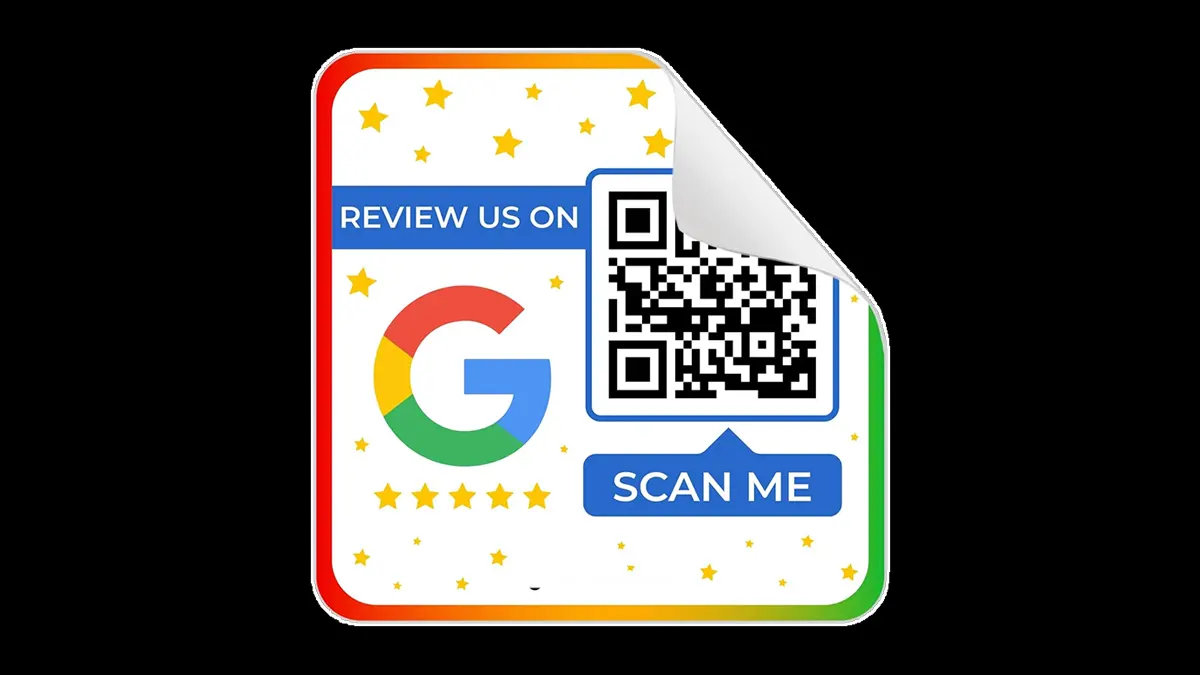
Most business owners know customer reviews matter. The difficult part is getting customers to leave them. Many customers leave your store happy. They thank you for your service and say they will leave a Google review later. A few people follow through. Most forget once they move on with their day.
A Google Review QR Code solves this problem by making the review process quick. Customers scan the code with their phone and go straight to your Google review page. They do not need to search for your business or spend extra time finding the correct listing.
This small change often leads to more reviews because people prefer simple tasks. When you remove extra steps, more customers finish the process.
Whether you own a restaurant, salon, medical clinic, retail shop, fitness center, or service business, a Google Review QR Code helps you collect more customer feedback. we explain how the system works, how to create one, and where you should place your QR code for better results.
What Is a Google Review QR Code?
A Google Review QR Code is a QR code linked directly to your Google Business Profile review page. When customers scan the code with their smartphone camera, Google opens your review page. They sign in to their Google account and leave a review.
Without a QR code, customers need to search for your business, select the correct listing, find the review section, and then write their feedback. Many people stop before reaching the final step. A QR code removes most of this process.
Businesses across many industries use Google Review QR Codes, including:
- Restaurants
- Coffee shops
- Hotels
- Medical clinics
- Dental offices
- Retail stores
- Car dealerships
- Beauty salons
- Gyms
- Home service companies
Why Businesses Use a Google Review QR Code
Online reviews influence customer decisions every day. BrightLocal’s Local Consumer Review Survey reports that most consumers read online reviews before choosing a local business. Google reviews often appear first in search results, making them one of the first things potential customers see.
Here are several reasons businesses use QR codes for reviews.
Customers Leave Reviews Faster
People prefer simple tasks. A customer scans the code, taps the review section, and writes feedback. The entire process takes only a few minutes.
When the process feels easy, more customers complete it.
Customers Leave Reviews While Their Experience Is Fresh
Timing matters. A customer who recently received excellent service remembers the experience clearly. Asking for a review before they leave your business increases the chance of getting honest feedback.
Waiting until the next day often leads to fewer reviews because customers become busy with other activities.
More Reviews Improve Local Search Visibility
Google looks at several factors when ranking local businesses. Customer reviews play an important role.
A business with recent, genuine reviews often appears more trustworthy than one with only a few older reviews. Regular reviews also show potential customers that your business stays active.
Reviews Build Trust
Many customers compare businesses before making a purchase. They often read recent reviews, look at ratings, and check how businesses respond to customer feedback.
A business with consistent positive reviews gives new customers more confidence.
How to Create a Google Review QR Code
Setting up a Google Review QR Code takes only a few steps.
Step 1. Get Your Google Review Link
- Open your Google Business Profile.
- Find the option for sharing your review link and copy the URL.
- This link sends customers directly to your review page.
Step 2. Create the QR Code
- Open a QR code generator.
- Paste your Google review link into the generator.
- The website creates a QR code within seconds.
Many QR code generators also let you:
- Add your business logo
- Change colors
- Download high quality image files
- Create print-ready versions
Step 3. Test Everything
Before printing hundreds of copies, scan the QR code with different phones. Check whether the code opens the correct review page.
Testing saves time and prevents customer frustration.
Also Read: How to Create Pinterest Business Account: A Step-by-Step Guide to Grow Your Brand Online
Best Places to Display a Google Review QR Code
Creating the QR code is only the first step. Good placement helps more customers notice and scan it.
At the Checkout Counter
Customers often wait while making payment.
Place a small sign near the register with a short message asking for feedback.
On Printed Receipts
Many customers look at their receipt before leaving.
Adding a QR code gives them another opportunity to leave a review.
Inside Product Packaging
If you ship products, place a thank you card inside the package.
Include the QR code with a short request for feedback.
On Business Cards
Business cards often stay with customers for weeks.
Adding a QR code gives customers another chance to leave a review later.
In Waiting Areas
Medical clinics, salons, and service centers often have waiting rooms.
A small display near the exit attracts attention without interrupting customers.
In Follow Up Emails
After completing a service, send a thank you email with your Google Review QR Code.
Customers who enjoyed the experience often respond while the visit is still fresh.
Best Practices for Google Review QR Code
A QR code works best when you follow a few simple habits.
Ask Happy Customers
Do not ask every customer for a review.
Ask customers who clearly had a positive experience.
Positive experiences usually lead to honest positive reviews.
Keep Your Request Simple
Avoid long speeches.
A short sentence works well.
For example:
“We appreciate your visit today. Please scan this code and share your experience on Google.”
Train Your Team
Employees interact with customers throughout the day.
Teach your staff when and how to ask for reviews politely.
Friendly requests often receive better responses.
Print High Quality QR Codes
Blurry or damaged QR codes create problems.
Use high resolution files for signs, flyers, and printed materials.
Keep the QR Code Easy to Find
Customers should notice the QR code without searching for it.
Large, clean displays usually perform better than small stickers hidden behind other materials.
Common Mistakes Businesses Make
Many businesses create a Google Review QR Code but miss simple details.
Forgetting to Test the QR Code
Always scan the code before printing.
One broken link wastes every opportunity for new reviews.
Offering Rewards for Reviews
Google does not allow businesses to offer gifts, discounts, or money in exchange for reviews.
Ask for honest feedback instead.
Ignoring Customer Reviews
Collecting reviews is only part of the process.
Read new reviews regularly and reply when appropriate.
Thank customers for positive feedback. Respond professionally to negative reviews and address their concerns.
Asking Too Early
Wait until the customer finishes their purchase or service.
A review request works better after the customer feels satisfied.
Creative Ways to Use a Google Review QR Code
Many businesses place QR codes only at the checkout counter.
You have many other options.
Try adding your QR code to:
- Thank you cards
- Shopping bags
- Product inserts
- Appointment cards
- Service invoices
- Loyalty cards
- Store posters
- Window decals
- Table displays
- Event booths
Each location gives customers another opportunity to leave feedback.
Is a Google Review QR Code Safe?
Yes, The QR code simply opens your Google review page.
Customers already scan QR codes for restaurant menus, digital payments, event tickets, and product information. Most smartphone cameras read QR codes without installing extra apps.
Keep your QR code linked only to your official Google review page. Check the link from time to time and replace damaged printed copies when needed.
Tips for Getting More Reviews
Small improvements often produce better results over time.
Follow these tips:
- Ask customers while they are still at your business.
- Thank customers after they leave a review.
- Reply to new reviews regularly.
- Keep your QR code visible throughout your business.
- Replace faded or damaged signs.
- Include the QR code in printed and digital materials.
- Monitor new reviews every week.
Businesses with a steady flow of recent reviews often appear more active to potential customers.
Final Thoughts
A Google Review QR Code gives customers a quick way to share their experience. Instead of searching for your business on Google, they scan a code and reach your review page in seconds.
The setup process takes little time. The long term value comes from collecting consistent customer feedback. More genuine reviews help people trust your business before they contact you. They also improve your visibility in local Google search results.
If you want more customer reviews without making the process difficult, add a Google Review QR Code to your business today. Place the code where customers already interact with your business, ask for feedback at the right time, and respond to every review with professionalism. Small improvements in your review process often lead to steady growth over time.
Also Read: What Is Experiential Marketing? A Simple Guide to Creating Memorable Customer Experiences